
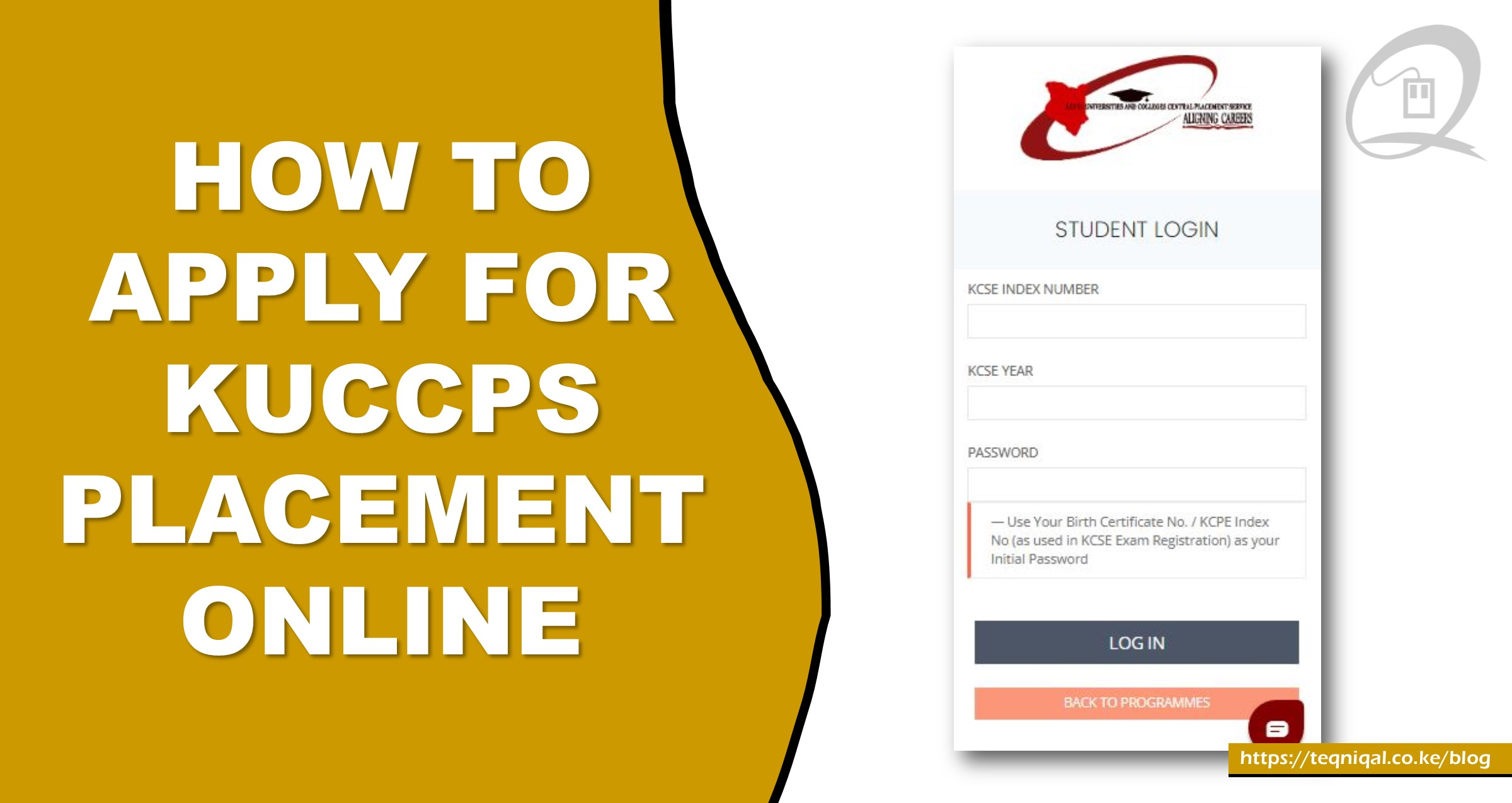
- Go to the KUCCPS website
Open the official Kenya Universities and Colleges Central Placement Service portal:
https://kuccps.net/login
- Log in
You’ll need:
KCSE Index Number
KCSE Year (2025)
Password
On Password Use your KCPE Index Number or Birth Certificate Number)
(This is where many get confused)
You are NOT creating a new password here.
Instead, use one of these two options:
Option A: KCPE Index Number
- This is the number you used in Class 8
- Example: 87654321
Option B: Birth Certificate Number
- Found on your birth certificate
- Usually a mix of numbers (sometimes letters)
- Enter the student portal
Once logged in, you’ll see your dashboard.
Click on:
“Application / Revision”
- Check available courses
Browse through the list of degree programmes
Courses are grouped into clusters (e.g., health, engineering, business).
Each course has a cut-off point this helps you know your chances
Tip:
Pick a mix of:
Competitive courses
Medium chances
Safe options
- Select your courses
You will be required to choose several course options (in order of preference)
Arrange them carefully:
1st choice = what you really want
Others = backup options - Confirm subject requirements
Before selecting a course:
Check if you meet the minimum subject requirements
(e.g., some courses need strong grades in Maths, English, or Sciences)
- Submit your application
Review everything carefully
Click Submit
Once submitted, make sure all details are correct. You may revise before the deadline if needed.
- Pay the application fee
Follow the payment instructions, it’s usually via M-Pesa
Keep the confirmation message - Wait for placement results
After the deadline (May 6), KUCCPS will process applications and release results later.
Quick Tips, and this is Very Important
Don’t rush, think about your career goals
Avoid copying friends’ choices
Always include realistic options
Apply early to avoid last-minute system issues
ALL THE BEST
READ ALSO: KUCCPS Marketable Courses for Grade C and Below Students